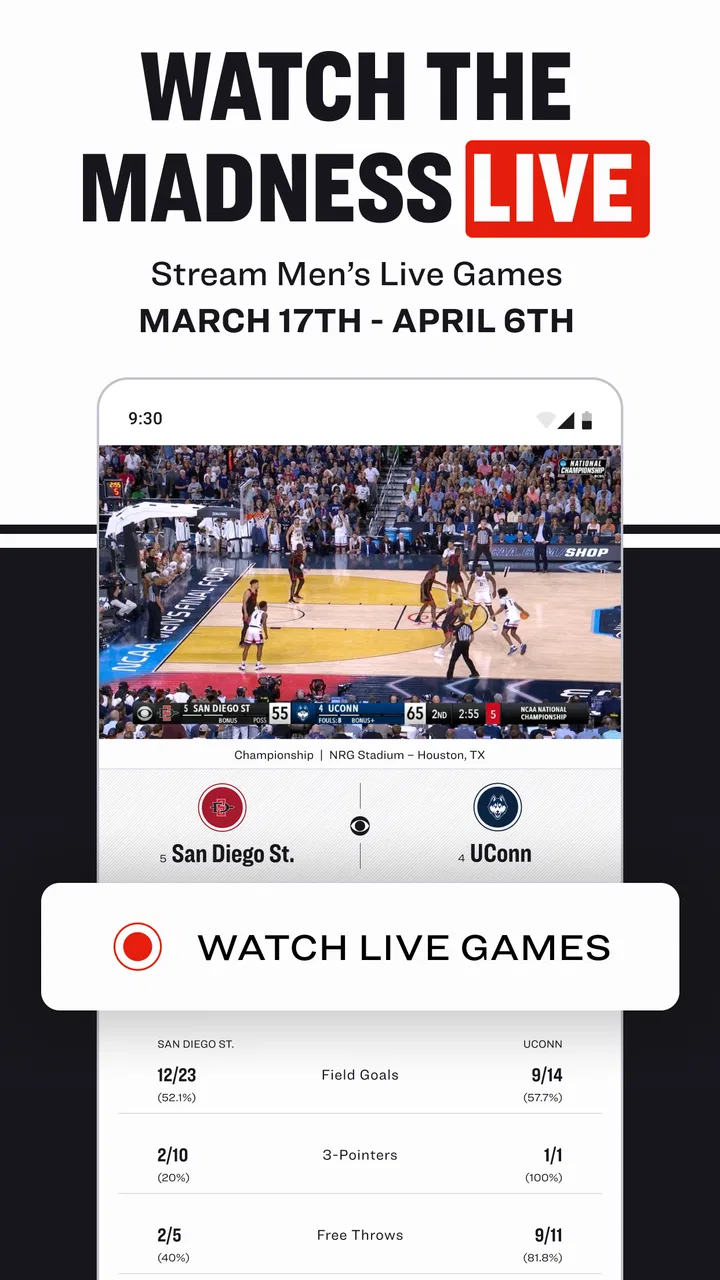
NCAA March Madness Live
- 4.7
- Rating
- 5.00M
- Installs
- Free
- Price

 Analysis by App-foxy
College basketball is easy to follow in theory, but the practical experience can become messy when games overlap, scores change quickly, and tournament pressure makes every possession matter. I spent time with NCAA March Madness Live to see whether it actually helps during those moments or simply adds another stream of updates to an already busy phone. My impression is that it works best as a focused companion for fans who want live college basketball coverage, tournament information, and a convenient way to keep up while away from a television.
This is a free sports app from NCAA Digital for Android and iOS, aimed at everyone rather than a narrow age group. It has been available since March 11, 2012, and its long presence is reflected in a strong 4.7 average from around 78 thousand ratings. More than 5 million people have installed it, which makes it feel less like an experimental side project and more like a familiar destination for tournament followers.
How the app handles a connected, mobile tournament experience
I find a connected tournament experience works best when I decide what I need before opening the app: a quick score check, a closer look at a matchup, or time to watch. That small choice helps me move through its coverage without treating every update as a reason to keep the screen open. It also sets up the next step: choosing the right way to follow a game as the day unfolds.
You May Also Like

 Pandora - Music & Podcasts
Pandora’s Music Is Easy to Start, but Harder to Recover
Pandora’s strength is its low-effort path from a seed to a station. Its weak spot is how much confidence it asks you to place in connection, setup, and quiet recovery.

 8 Ball Pool
 Is Built on Rivalries, Rematches, and Routine
A close look at the rivalries, rematches, shared routines, and unanswered safety questions that turn a quick pool match into a persistent mobile community.

 Samsung Music
’s Quiet Strength Is Playing What You Already Own
Its reach comes less from spectacle than from dependable access to a personal library. That simplicity is both the app’s strongest retention engine and its ceiling.

 AccuWeather: Weather Radar
AccuWeather Review: A Quick, Clear Forecast for Everyday Decisions
For everyday plans, the best forecast is the one you can understand quickly. AccuWeather makes rain timing, radar, and local conditions easy to act on, with a few trade-offs.

 Hill Climb Racing
Why Hill Climb Racing Still Turns Crashes Into One More Run
A tiny car, a bumpy hill and one more upgrade: Hill Climb Racing keeps resurfacing because its simple chaos makes every near-miss feel personal.

 AliExpress - Shopping App
AliExpress Makes Global Shopping Feel Personal, but Shoppers Bear the Risk
AliExpress turns a global marketplace into a pocket-sized discovery engine. Its reach is useful, its shopping loop compelling, and its trade-offs easy to miss.
More From Our News Desk
View All News


Live viewing is only as good as the connection behind it
The central appeal is obvious: the app brings live college basketball viewing and tournament tracking into one place. When the network is stable, that combination is useful because I do not have to jump between a video service, a browser tab, a sports score app, and a separate bracket tool. A reliable connection turns the phone into a compact game-day dashboard, particularly when I am not sitting in front of a television.
That convenience also reveals the app’s main dependency. Live video and rapidly changing scores need a dependable connection, and the quality of the experience can change sharply between a strong home network, busy public Wi-Fi, and mobile data in a crowded venue. A score page may remain useful when video struggles, but I would not treat the app as a guaranteed replacement for every other way of following a game. The more important the matchup, the more frustrating a stalled stream or delayed refresh can feel.
I found it helpful to open the app before the game becomes urgent. Checking the schedule, locating the matchup, and making sure the relevant section is ready is a better routine than waiting until the opening tip and trying to navigate through several screens at once. This is one of those small habits that matters more than it sounds: during a busy tournament day, preparation reduces the number of taps required when the score suddenly changes.
The app’s live role is also different from that of a traditional television broadcast. Television is generally better for a relaxed, uninterrupted viewing session on a larger screen. NCAA March Madness Live is more flexible when I am moving around, checking in briefly, or trying to follow several games rather than committing to one. Its strength is access and immediacy, not the comfort of a full living-room setup.
Using it while moving through an ordinary day
The most realistic use case is not watching from a sofa with nothing else to do. It is checking a game during a lunch break, following a close finish while commuting as a passenger, or keeping an eye on tournament developments while friends are discussing brackets. In those short sessions, the app makes sense because it lets me move from general scores to a particular game without needing a laptop.
For example, I might be at work when a bracket favorite reaches the final minutes. I can open the app, check the current score, and decide whether the moment deserves live viewing or only a quick update. If I am walking into a meeting, the score and news side of the experience is more practical than starting a video stream. If I have a longer break and a strong connection, live viewing becomes more worthwhile. The useful distinction is not simply “watch” versus “do not watch”; it is choosing the level of attention that fits the situation.
On a smaller phone screen, the app is naturally more comfortable for quick checks than for hours of viewing. Text, scores, and bracket information are easier to absorb in short bursts. Video can be valuable when I am away from a screen, but the phone format still asks more concentration than a television. I would recommend it to someone who wants tournament access in their pocket, not to someone who expects a mobile display to recreate the entire home-broadcast experience.
It is also worth considering the social setting. If friends are comparing brackets, having the official tournament information close at hand can settle confusion quickly. That is a different use from following a favorite team through every possession. The app serves both situations, but I think it is particularly effective as a shared reference point: one person checks a result, another confirms the bracket path, and the conversation continues without everyone searching separately.
Brackets are more useful when treated as a planning tool
The bracket feature gives the app a second purpose beyond live viewing. I do not see it merely as a place to make an early prediction and forget about it. It is more useful when I use it to organize expectations before the tournament becomes chaotic, then return to it after each round to understand how the remaining path has changed.
A practical approach is to complete the bracket when I have enough time to think clearly, rather than filling it in quickly while watching several games. I can then use the live scores and news sections to check which assumptions are holding up. This makes the app valuable even during periods when I am not watching video. The bracket becomes a visual explanation of why a result matters, not just a one-time contest entry.
There is a trade-off here. A bracket can encourage me to focus too much on predictions and not enough on the games themselves. If I care about the sport more than the outcome of my picks, I should use the bracket as context rather than as the main reason to open the app. Conversely, people who enjoy tournament forecasting will probably appreciate having live information and bracket management close together instead of relying on disconnected services.
One tip I found useful is to check the bracket after a major result rather than constantly refreshing it during play. That keeps the experience calmer and makes the consequences of the result easier to understand. It also reduces unnecessary screen time when the only thing I really need is confirmation that a game has ended.
When connectivity fails at the worst moment
The difficult moments are predictable: a game reaches a close finish, the venue becomes crowded, and the connection becomes less dependable. In that situation, the app’s experience can shift from immersive to frustrating. A video stream may pause, a page may take longer to refresh, or I may need to retry an action. These are not unusual problems for any live sports service, but they matter more when the app is being used for a time-sensitive event.
My advice is to avoid making the app your only source during a game that matters deeply to you. If the connection is already unstable, keeping another familiar score source available can prevent a brief interruption from becoming total uncertainty. That is not a criticism unique to NCAA March Madness Live; it is a sensible precaution whenever live sports depend on a network connection. The app is strongest as a central tool, but I would still allow for ordinary mobile failures.
Recovery is easier when I separate the task I need from the task I wanted. If video is struggling, I can try checking the score or news instead of repeatedly restarting the stream. If the score page is slow, I can wait briefly rather than tapping through multiple sections and creating more confusion. This simple fallback mindset helps because the app contains different kinds of tournament information, and not every part is equally demanding at the same moment.
I also prefer opening the relevant game before entering a weak-signal environment. That does not guarantee uninterrupted viewing, and I would not interpret it as an offline solution. It simply means I have already reduced the navigation work if the connection becomes inconsistent. The important distinction is that advance preparation can improve convenience, but it cannot turn a network-dependent live experience into a fully disconnected one.
Managing mobile data without losing the point of the app
Live video deserves deliberate use on a mobile connection. If I am watching for a long stretch away from Wi-Fi, I need to think about how much data that session may consume and whether the benefit matches the situation. A short check of scores and news is a very different habit from leaving a live game running in the background. For many users, that difference will matter more than the app’s free price.
I would therefore use the app in layers. First, I would check the score and game status. Next, I would read the available news or tournament context. Only then would I start live viewing if I have enough time, battery, and connection quality to make it worthwhile. This workflow is especially sensible when I am traveling or sharing a crowded network. It keeps the app useful even when a full stream is not the responsible choice for my data plan.
There is another practical trade-off between convenience and attention. A live stream can tempt me to keep watching long after I opened the app for a single update. Setting a personal limit, such as checking during a break and closing it afterward, makes the experience more manageable. The app is designed around an event that can occupy an entire day, so the user has to decide how much of that event belongs on a phone.
Battery is part of the same equation. Video, a bright display, and a weak signal can make a phone work harder than a quick score check would. I would not begin an important mobile viewing session with a nearly empty battery, particularly if I still need the phone for navigation, communication, or work. Again, this is not a hidden defect; it is the ordinary cost of carrying live sports in a small connected device.
Who will appreciate it, and who should choose another approach?
I think the app is a strong fit for college basketball fans who want one place for live viewing, scores, news, and bracket activity. It is also well suited to people whose tournament habits are irregular: someone who watches a few games, checks others between responsibilities, and wants a quick way to understand what is happening. The free price removes an obvious barrier for casual fans who do not want to commit to a separate paid sports package simply to follow the tournament.
It is less convincing for someone who only wants a basic score notification. A simpler score-focused tool may feel faster and less distracting if live video, news, and bracket features are unnecessary. It is also not my first choice for a long, comfortable viewing session when I have access to a television or a larger screen. The app’s value comes from portability and concentration, not from replacing every other viewing environment.
Fans who follow many sports throughout the year may prefer a broad sports application that combines college basketball with other leagues and competitions. NCAA March Madness Live is more specialized, and that focus is both its advantage and its limitation. During the tournament, specialization makes the information easier to find. Outside that context, a general sports app may be more practical for someone who wants one permanent all-sports hub.
The age rating of Everyone makes it approachable for families and younger fans, while the simple free entry point makes it easy to try without a purchase decision. Still, ease of access should not be confused with universal usefulness. A person with limited mobile data, unreliable connectivity, or no interest in brackets may get more from a lighter score service. I would recommend trying this app when the tournament is active, then judging whether its broader features match the way that person actually follows games.
What I would do before relying on it for a big game
I would start by checking the schedule and identifying the games I genuinely want to watch. That prevents the app from becoming a constant refresh loop. I would make my bracket when I have time to consider it, then use the live sections as a way to follow the consequences of each result rather than reopening the bracket after every minor update.
Next, I would test the experience in the place where I expect to use it. A strong home network tells me very little about what will happen in a crowded public setting. If I plan to follow games while traveling, I would decide in advance whether I am mainly checking scores or watching live video. That choice helps control data use, battery drain, and disappointment if the connection is not strong enough for a smooth stream.
Finally, I would keep my expectations realistic. The app can bring tournament information together and make mobile access much easier, but it cannot control the quality of the network around me. If I treat it as a flexible companion rather than an infallible broadcast replacement, the experience is more satisfying. I can move between live viewing, scores, news, and bracket context according to what the moment allows.
My connectivity verdict
After using it as both a viewing option and a tournament reference, I see NCAA March Madness Live as a well-focused sports app whose best quality is flexibility. It adapts to short checks, longer viewing sessions, bracket planning, and conversations with other fans. The 4.7 average and broad installation base suggest that many users find that mix dependable enough to return to, and I understand why: the app puts the parts of March Madness that I most often need in one mobile space.
Its limitations are tied closely to that same ambition. Live video depends on a solid connection, mobile viewing is not as comfortable as a larger screen, and data and battery can become concerns during extended sessions. People who only need scores or who already have a preferred all-sports service may find its wider feature set unnecessary. I would also avoid relying on it alone when a poor signal could make a decisive moment difficult to follow.
For me, the best way to use it is deliberately: prepare before the game, use scores and news for quick updates, turn to live viewing when the network and time are right, and return to the bracket when a result changes the tournament picture. That balance makes the app feel less like a stream that happens to include extras and more like a practical companion for the entire college basketball tournament experience. If that is how you follow March Madness, I would recommend giving it a place on your phone.
My final recommendation: choose it for connected, mobile tournament coverage and flexible game-day checking; choose a simpler score tool or a larger-screen alternative when live video is not your priority.
FAQs for NCAA March Madness Live
01What is NCAA March Madness Live?
NCAA March Madness Live is an app that allows users to stream live NCAA basketball tournament games. It provides real-time scores, stats, and highlights, making it a must-have for college basketball fans. Users can also follow their favorite teams and receive personalized updates throughout the tournament.
02Is NCAA March Madness Live free to use?
NCAA March Madness Live offers free access to stream games with a participating TV provider login. Some features may be limited without a subscription, but users can still enjoy scores, stats, and highlights. For full access to live streaming, a TV provider login is generally required.
03Which devices are compatible with NCAA March Madness Live?
NCAA March Madness Live is available on both Android and iOS devices. It is compatible with smartphones, tablets, and some smart TVs. The app is designed to ensure smooth streaming across various platforms, but it's recommended to check for specific device compatibility details on the app's download page.
04Does NCAA March Madness Live offer any special features?
Yes, NCAA March Madness Live offers several features such as live streaming of all tournament games, real-time stats, and video highlights. Additionally, the app provides a personalized experience with game alerts, bracket challenges, and the ability to follow your favorite teams through the tournament.
05What are the data usage considerations for NCAA March Madness Live?
Streaming games on NCAA March Madness Live can consume a significant amount of data, especially if watching in high quality. Users are advised to connect to Wi-Fi to avoid high data charges. It’s also a good idea to check your mobile plan to see if it supports streaming without additional fees.
Pros
- Live streaming of all tournament games.
- Real-time stats and updates available.
- User-friendly interface and navigation.
- Option to watch highlights and replays.
- Personalized brackets and alerts.
Cons
- Requires a TV provider for full access.
- Frequent ads can disrupt viewing.
- High data usage for streaming.
- Limited features for international users.
- Occasional streaming lags reported.

NCAA March Madness Live
Gallery